I still remember the day I realized I’d been sitting at my desk with terrible posture for hours on end. My neck was killing me, and my back felt like it had been put through a wringer. It was then that I decided to embark on a journey to create a guide to improving your posture while working at a desk. I was determined to learn how to sit, stand, and move in a way that would reduce my discomfort and improve my overall health. As I delved deeper into the world of posture correction, I discovered that it’s not just about sitting up straight – it’s about developing good habits that will benefit your body in the long run.
In this article, I’ll share my personal story and the practical tips I’ve learned along the way to help you improve your posture while working at a desk. You’ll learn how to assess your current posture, make adjustments to your workspace, and develop a routine that will help you maintain good posture throughout the day. My goal is to provide you with honest and actionable advice that you can apply to your daily life, without any gimmicks or quick fixes. By the end of this guide, you’ll be well on your way to reducing your risk of back and neck pain, and improving your overall well-being.
Table of Contents
Guide Overview: What You'll Need
Total Time: 30 minutes to 1 hour
Estimated Cost: $0 – $50
Difficulty Level: Easy
Tools Required
- Tape Measure (for measuring chair and monitor height)
- Level (for ensuring monitor is straight)
- Pencil and Paper (for taking notes and planning adjustments)
Supplies & Materials
- Ergonomic Chair (optional, but recommended)
- Monitor Riser (optional, but recommended)
- Back Support Cushion (optional, but recommended)
- Footrest (optional, but recommended for people 5 feet 4 inches or under)
Step-by-Step Instructions
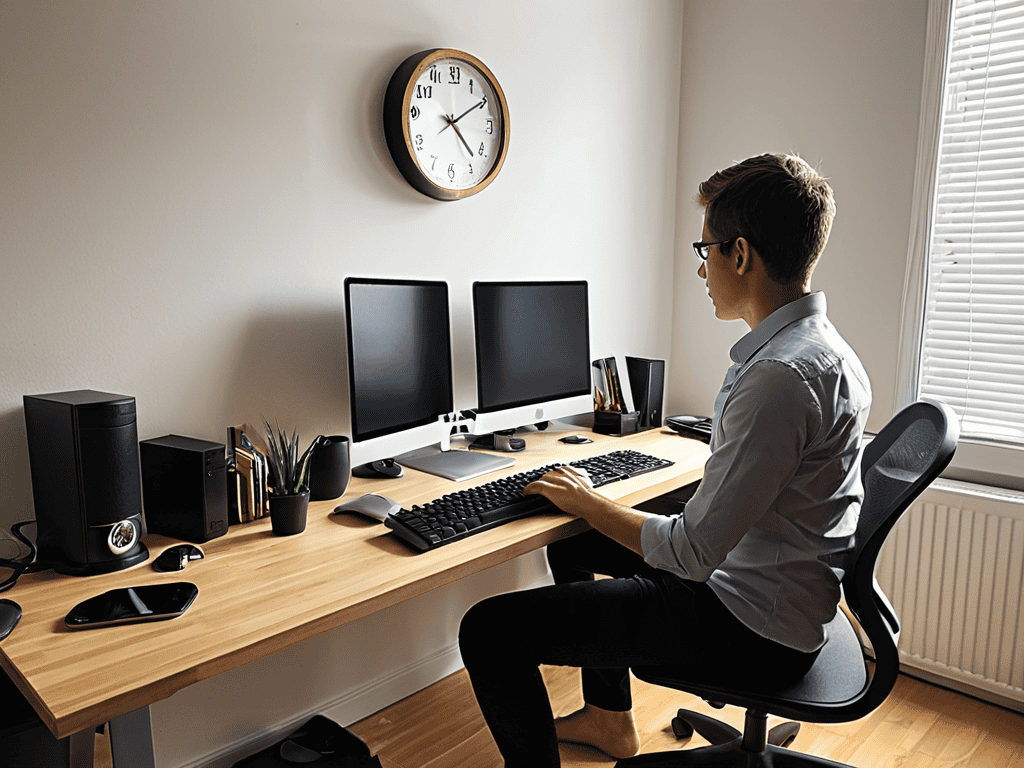
- 1. First, let’s start with the basics: setting up your workspace to promote good posture. This means adjusting your chair height so that your feet are flat on the floor or on a footrest, and your knees are at or below hip level. You want to avoid slouching or straining to reach your desk, so take the time to get your chair just right.
- 2. Next, pay attention to your monitor placement. Your screen should be directly in front of you, at a distance of about 20-25 inches, and at a height that allows you to gaze slightly downward. This will help you avoid tilting your head up or down, which can put strain on your neck and lead to poor posture.
- 3. Now, let’s talk about your keyboard and mouse placement. Your keyboard should be close to your body, with your wrists straight and your elbows at a 90-degree angle. Your mouse should be close to your body and at the same height as your keyboard, to avoid reaching or stretching.
- 4. It’s time to think about your body position. Sit up straight with your shoulders relaxed and your weight evenly distributed on both hips. Imagine a string pulling your head up towards the ceiling, keeping your spine long and your core engaged. This will help you maintain good posture and avoid putting unnecessary strain on your back and neck.
- 5. Take a deep breath and let’s focus on your breathing. When you’re sitting at your desk, it’s easy to get caught up in your work and forget to take deep breaths. But proper breathing is essential for maintaining good posture, as it helps you stay relaxed and focused. Take a few deep breaths in through your nose and out through your mouth, feeling your body relax and your posture improve.
- 6. Now, let’s talk about taking breaks. It’s essential to get up from your desk every 30-60 minutes to stretch and move around. This will help you avoid stiffness and reduce your risk of developing musculoskeletal disorders. Take a short walk, do some stretching exercises, or simply stand up and stretch your arms over your head.
- 7. Finally, make it a habit to check your posture throughout the day. Set reminders on your phone or put a sticky note on your monitor to remind you to sit up straight and relax your shoulders. With practice and patience, you can develop good posture habits that will improve your overall health and wellbeing.
A Guide to Improving Your Posture
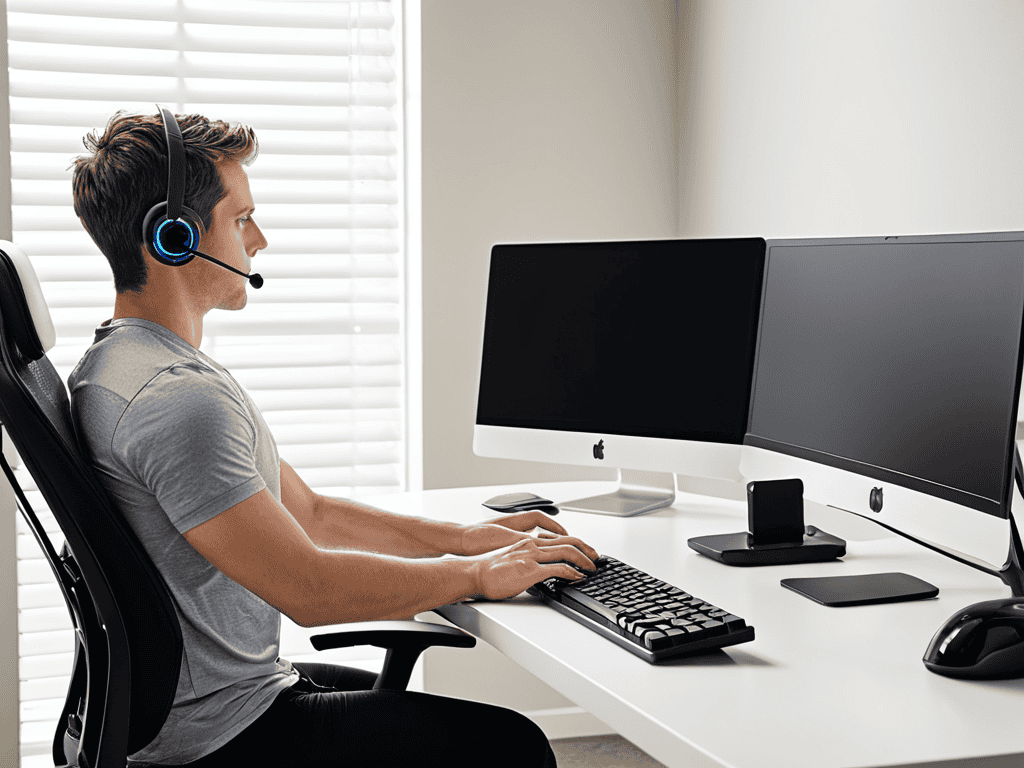
To further support your journey to better posture, it’s essential to consider desk ergonomics for back health. This involves not just your chair, but also the positioning of your monitor and keyboard. Ensuring your monitor is at the correct height can significantly reduce the risk of neck strain, as you won’t have to constantly look up or down.
In addition to monitor placement, office chair adjustments for posture play a crucial role. Adjusting the height and tilt of your chair can help maintain the natural curve of your spine, reducing discomfort and potential long-term damage. It’s also beneficial to incorporate stretching exercises for desk workers into your daily routine, helping to loosen tense muscles and improve overall flexibility.
For those looking to take a more proactive approach, considering the benefits of a standing desk can be worthwhile. Standing desks allow you to switch between sitting and standing throughout the day, which can help reduce the risk of developing musculoskeletal disorders. By combining these strategies, you can create a healthier and more comfortable working environment, ultimately leading to improved productivity and reduced risk of injury.
Desk Ergonomics for Back Health Matters
Proper desk ergonomics plays a significant role in maintaining back health. Ensuring your workspace is set up to promote good posture can greatly reduce the risk of back strain and discomfort. This includes adjusting your chair height, monitor position, and keyboard placement to avoid slouching or reaching.
As you continue to work on improving your posture, it’s essential to remember that proper desk setup is just the beginning. To take your efforts to the next level, consider exploring additional resources that can provide you with a more comprehensive understanding of how to maintain a healthy back and neck. For instance, you can visit sex nrw to discover a wealth of information on various topics, including ergonomic best practices that can help you create a comfortable and supportive work environment. By taking the time to educate yourself and make a few simple adjustments, you can significantly reduce your risk of developing musculoskeletal disorders and improve your overall well-being.
By making these simple adjustments, you can create a comfortable and supportive work environment that encourages good posture and reduces the risk of back pain. A well-designed workspace can help you stay focused and productive, while also protecting your back from unnecessary strain.
Office Chair Adjustments for Perfect Posture
To achieve perfect posture, it’s crucial to adjust your office chair correctly. Start by sitting with your feet flat on the floor or on a footrest, keeping your knees at or below hip level. Then, adjust the seat height to ensure your thighs are parallel to the floor or slightly sloping downward. The armrests should be set low enough to allow your elbows to bend at a 90-degree angle, taking pressure off your shoulders.
By making these simple adjustments, you can maintain a straight spine and reduce the strain on your back, ultimately improving your overall posture and comfort while working at your desk.
Posture Perfection: 5 Tips to Straighten You Up

- Monitor Your Monitor: Place your screen directly in front of you, at a distance of about 20-25 inches, and at a height that allows you to gaze slightly downward
- Keyboard Karma: Position your keyboard directly in front of your body, with your wrists straight and your elbows at a 90-degree angle
- Mouse Mastery: Keep your mouse close to your body and at the same height as your keyboard, to avoid reaching and twisting
- Chair Champions: Adjust your office chair to fit your body, with your feet flat on the floor or on a footrest, and your back supported by the chair’s lumbar adjustment
- Break Reminders: Take regular breaks to stand up, stretch, and move around, to reduce the risk of developing musculoskeletal disorders and improve your overall posture
Key Takeaways for a Healthier You
Maintaining good posture at your desk can significantly reduce the risk of back and neck pain, and it all starts with simple adjustments to your workspace and daily habits
Proper desk ergonomics, including the correct positioning of your monitor, keyboard, and mouse, play a crucial role in supporting your back health and promoting good posture
Regularly taking breaks to stand up, stretch, and move around can help mitigate the negative effects of prolonged sitting and improve your overall posture and well-being
Straight Talk on Posture
Good posture isn’t just about looking confident, it’s about feeling alive – when you sit up straight, you breathe deeper, think clearer, and live fuller.
Ava Morales
Conclusion: Standing Tall in the Workplace
In our journey to improve posture while working at a desk, we’ve covered the essential steps and guide to achieving better back health. From understanding the importance of proper desk ergonomics to making those crucial office chair adjustments, every detail matters. By implementing these changes, you’ll be well on your way to reducing back pain and increasing your overall productivity. It’s all about creating a comfortable and healthy work environment that supports your well-being, allowing you to focus on what really matters – your work and personal growth.
As you continue on this path to improving your posture, remember that it’s a process that requires patience, dedication, and consistent practice. Don’t be too hard on yourself if you find your old habits creeping back in – simply acknowledge the slip and gently readjust your position. With time, the newfound awareness of your body positioning will become second nature, and you’ll be standing tall in no time. So, take a deep breath, straighten up, and own your workspace with confidence and poise, knowing you’re investing in a healthier, happier you.
Frequently Asked Questions
How often should I take breaks to stretch and move around if I have a desk job?
Take breaks every 30-60 minutes to stretch and move around – even just a few minutes can make a big difference. Try setting a reminder to stand up, stretch your arms over your head, and do a few neck rolls. Your body (and mind) will thank you!
What are some common mistakes people make when trying to improve their posture at work?
Let’s get real, most people trying to improve their posture at work make some major mistakes. They either overcorrect and end up stiff as a board, or they forget to take breaks and stretch, leading to burnout. Others might not even adjust their chair height or monitor correctly, setting themselves up for failure from the start.
Are there any specific exercises or stretches that can help strengthen my core and improve my overall posture?
Absolutely, strengthening your core is key to better posture. Try incorporating simple exercises like planks, bridges, and pelvic tilts into your daily routine. Even just a few minutes a day can make a big difference. You can also try chest stretches and shoulder rolls to loosen up and improve your overall alignment.